
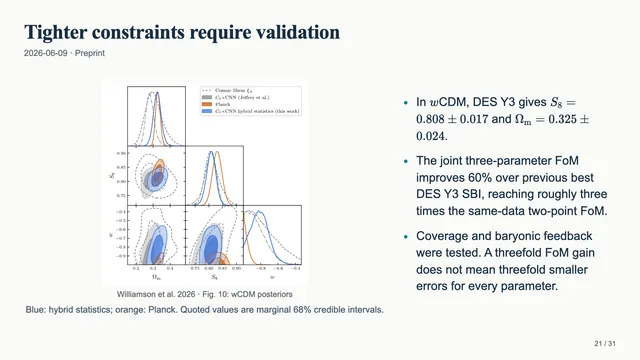
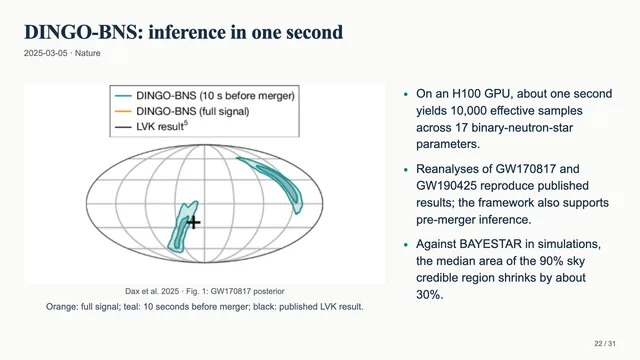
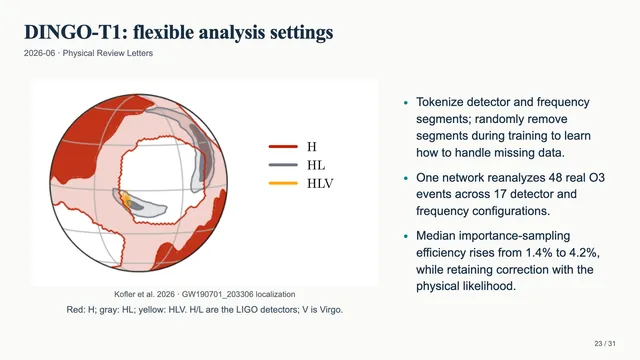
Copy a design you like
Every Deck and Block carries its complete prompt, design rules included. Paste it into your agent with your own content and get the same design.
Your SlideBlocks account has been deleted.
Install the Skill and ask your agent for a whole deck, or pick a page you like in the gallery and copy its prompt in one click.
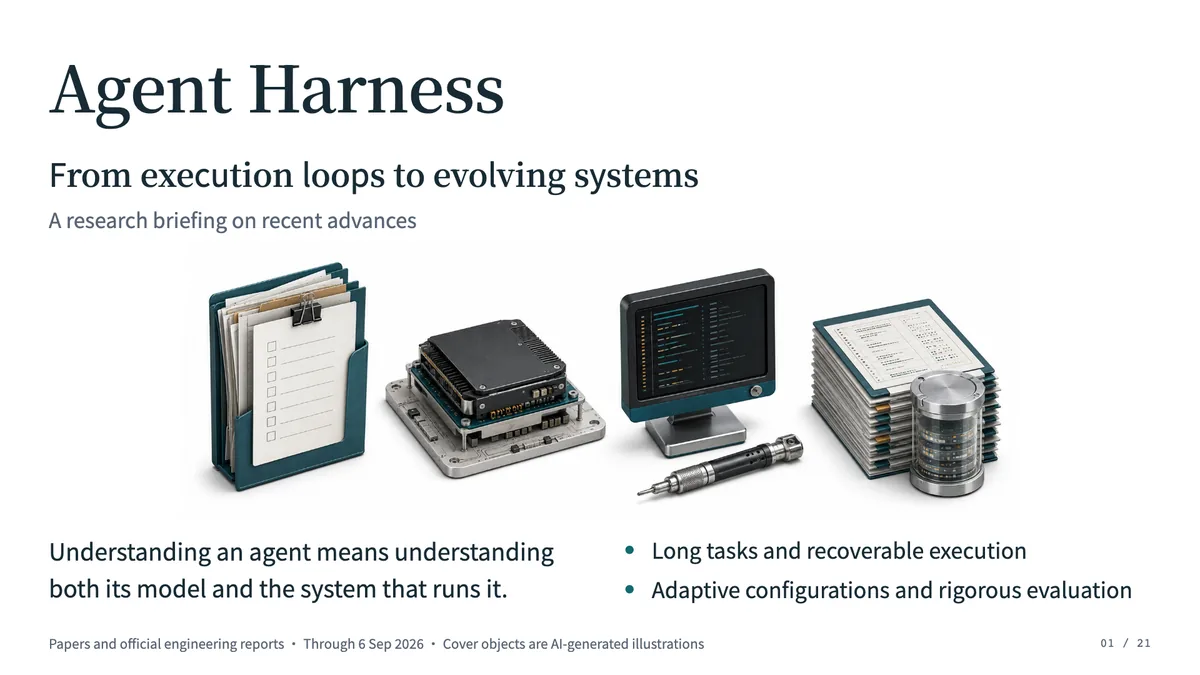
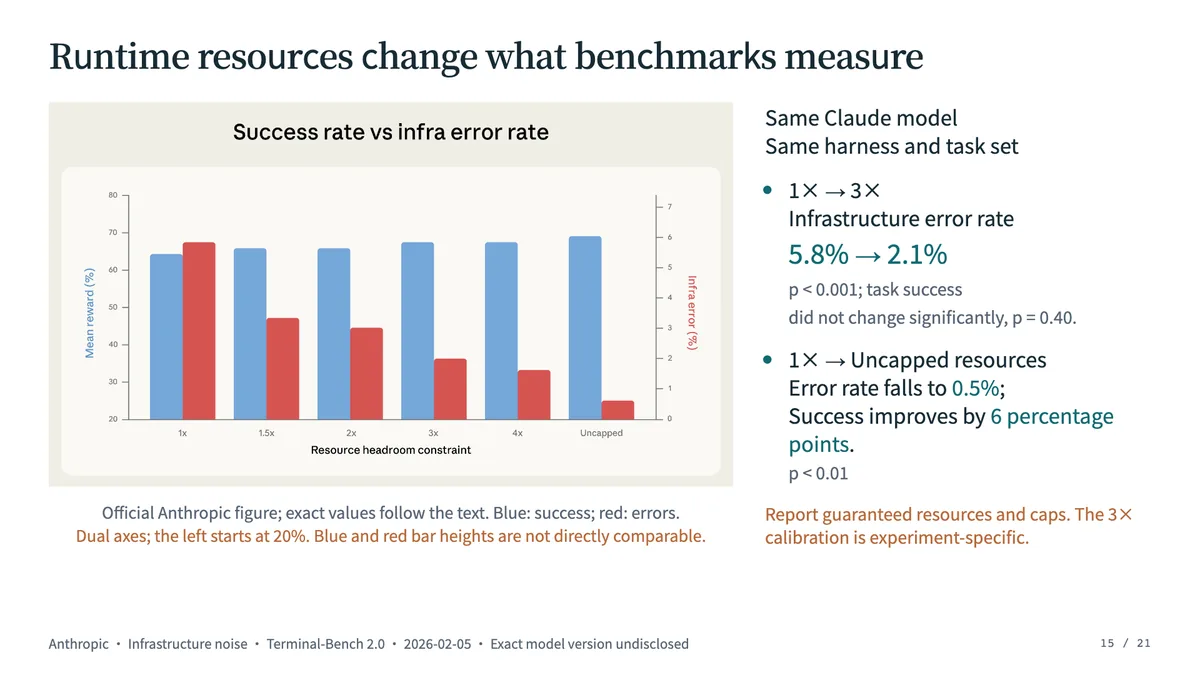

Both happen inside your coding agent. Both end in a deck you can present.
Every Deck and Block carries its complete prompt, design rules included. Paste it into your agent with your own content and get the same design.
Install the Skill once. Hand your agent papers, notes, or data, and it plans, writes, and designs every page.
Not just a web page: your deck ships with a real presentation player you can take on stage.
Your agent. Real design. A deck you own.
| Feature | SlideBlocks | PowerPoint / Keynote | AI slide generators |
|---|---|---|---|
| Who builds it | Your own agent: Claude, Codex, any agent with skills | You, slide by slide | The platform’s built-in AI |
| Design | Curated blocks with design rules built in | Templates, then manual layout | Generic themes |
| What you get | Editable Slidev source + offline HTML | .pptx or .key files | A deck hosted on the platform |
| Live & interactive | Live code, motion, interactive diagrams | Built-in animations, little interactivity | Varies by platform |
| Present anywhere | One HTML file, works offline | Needs the app installed | Usually needs an account online |
| Version control | Plain text, works with Git | Binary files | Platform history |
| Cost | Free, open-source skill | License or subscription | Subscription or credits |
Copy this line into your coding agent to get started.
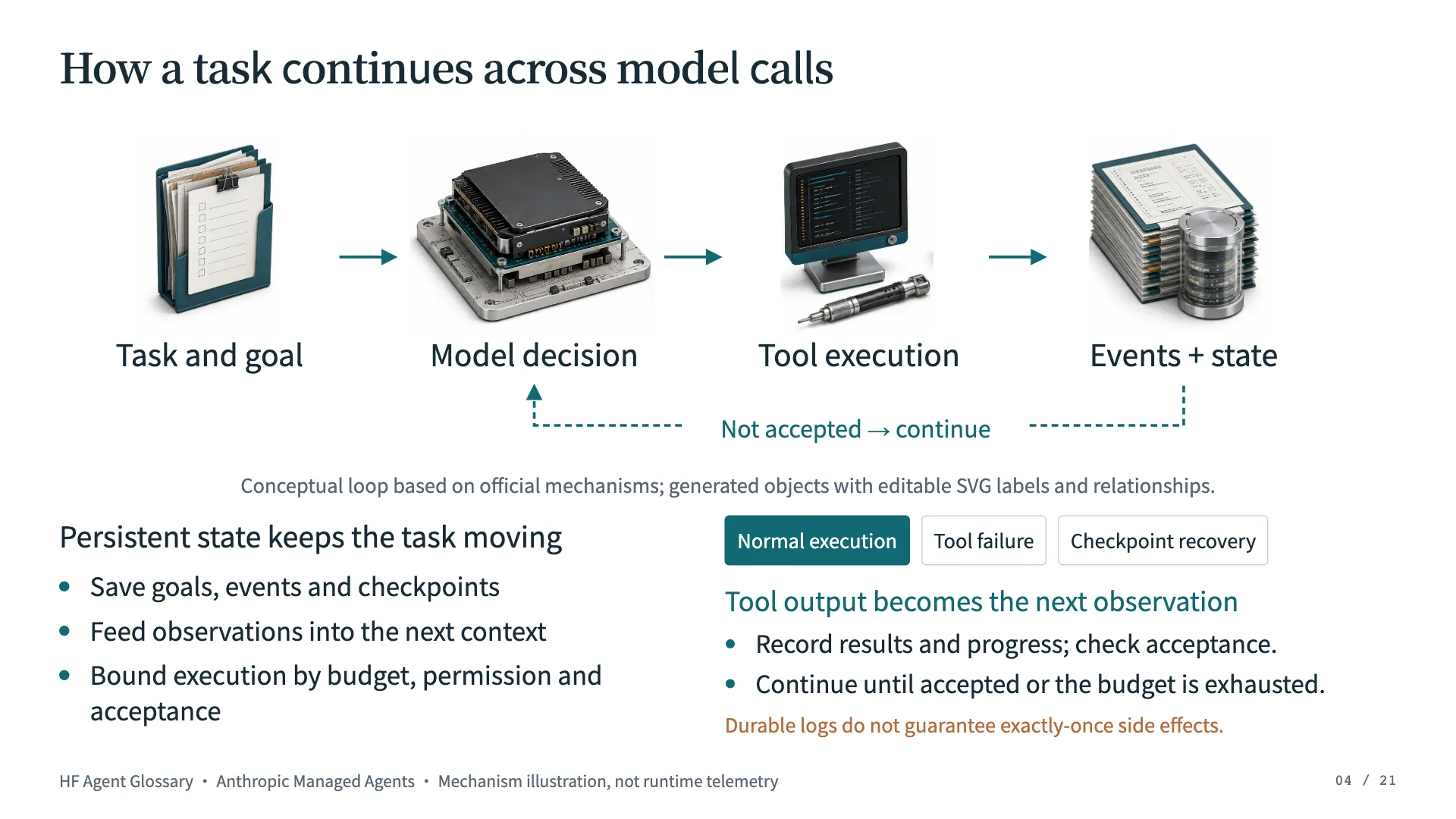
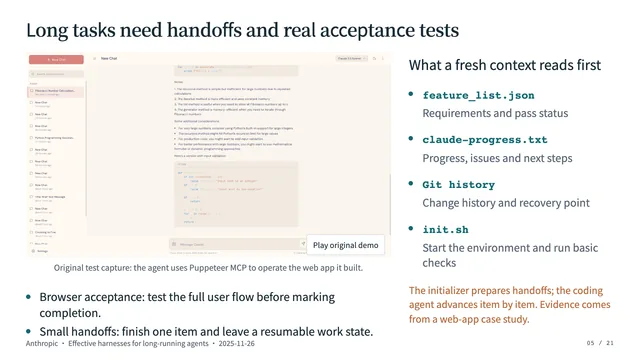
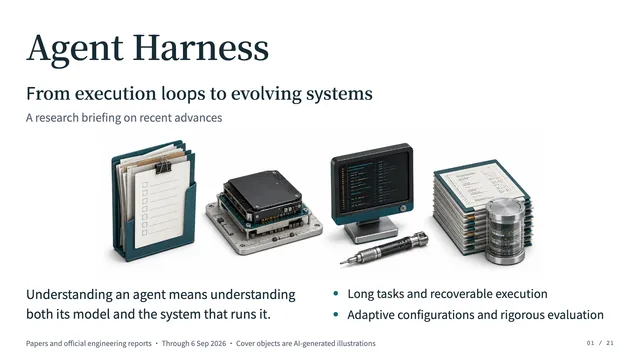 1
 2
 3
 4
 6
 7
 8
 9
 10
 11
 12
 13
 14
 15
 16
 17
 18
 19
 20
 21